Overview
- Infrastructure as Code (IaC)
- Declarative
- State Management
- Modularity
- Multi-Cloud Support
- Platform-agnostic
- Community Support
- Terraform Core
-- The main Terraform binary that is responsible for parsing the configuration files and executing the plan.
- Terraform Providers
-- Allow Terraform to know how to interact with the cloud provider via remote APIs
- Terraform State
-- A file that Terraform uses to keep track of the resources it has created.
- Terraform Modules
-- A way to organize and reuse Terraform code.
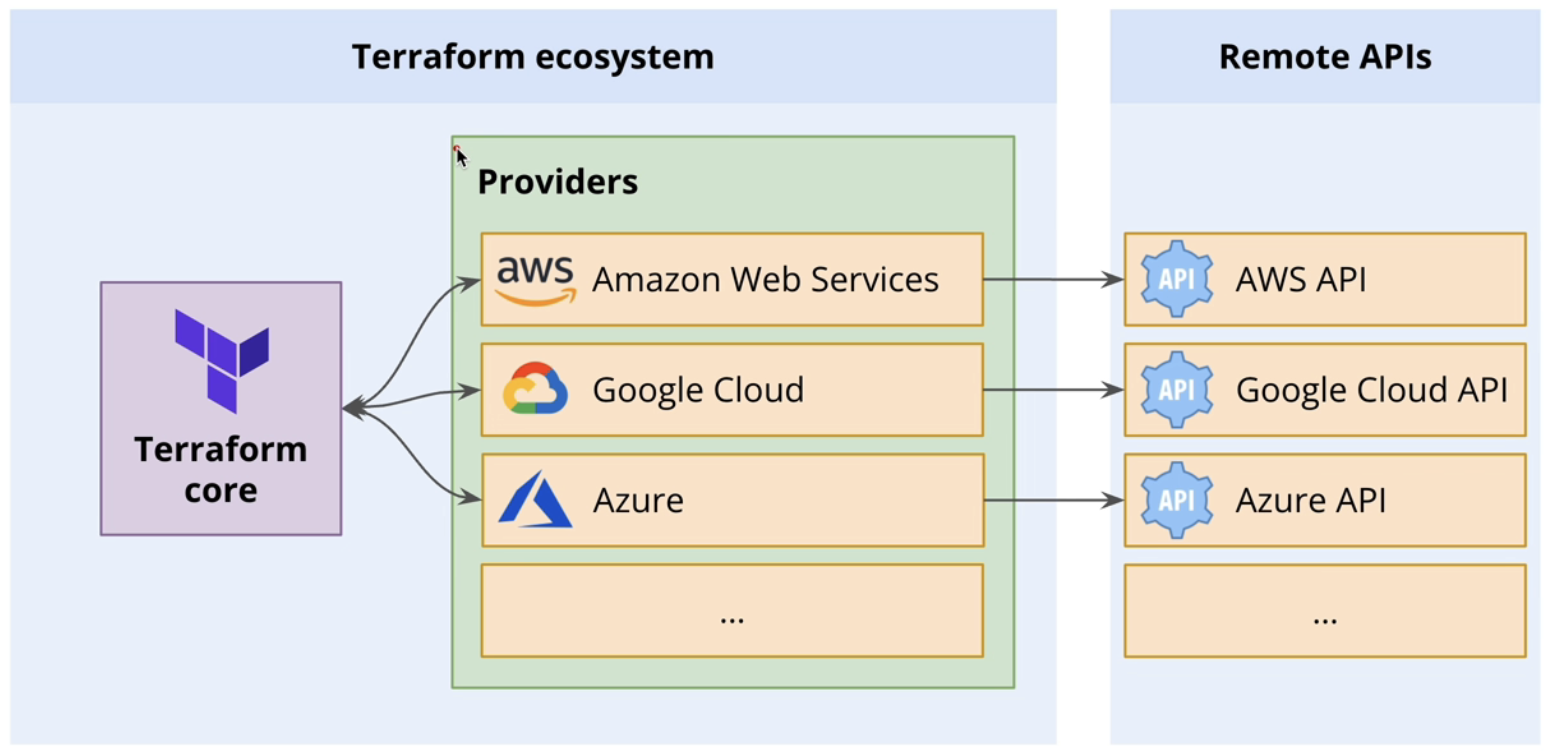 Terraform Architecture
- Terraform Init
- Terraform Plan
- Terraform Apply
- Terraform Destroy
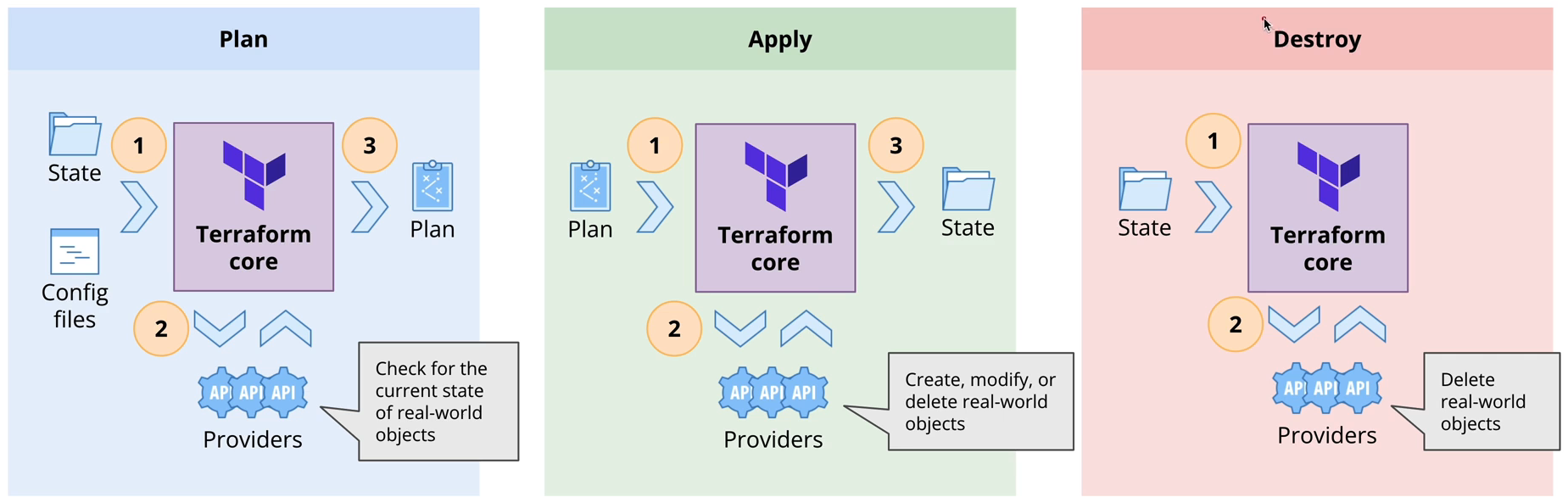 Terraform Stages
Installation
Install AWS CLI
Configuration
AWS IAM
- Create user with programmatic access
- Attach the policy to the user (administrator access)
- Create access key and secret key
GitHub
- Create a new repository named
terraform-demo
- Clone the repository to your local machine
git clone https://github.com/your-username/terraform-demo.git
Authentication into AWS
- Create a file named
.env under terraform-demo directory
- Add the following content to the file
export AWS_ACCESS_KEY_ID="your-access-key-id"
export AWS_SECRET_ACCESS_KEY="your-secret-access-key"
- Create
.gitignore file under terraform-demo directory
- Add the following content to the file
.env
- Run the following command to load the environment variables
source .env
- Run this command to verify
```shell
aws s3 ls
Written by
A
Ardityo Pati Mulawarman
Principal DevOps Engineer
Building and operating cloud-native production systems. Writing
about reliability, infrastructure, and lessons from real-world deployments.
#Terraform#Iac